


Frame 65 Passive Dock
Dock 65 P is built for compact vaQgrip Click setups in the 5 kg payload class. It does not generate vacuum inside the Dock, but routes vacuum from an external source into the Frame 65 Click layout. Its compact format makes it suitable for smaller gripper setups and light products.
Key Features
Handles payloads up to 5 kg.
Routes vacuum from an external source.
Uses the compact Frame 65 Click interface.
Available with 4 mm, 6 mm, or 8 mm input.



Frame 65
Compact Click interface for smaller layouts

5 kg payload
Built for compact Click setups

Multiple inputs
4, 6, or 8 mm options

External vacuum
Routes vacuum from another source

Design and visualize your custom vacuum gripping setup with the vaQgrip Click Configurator.
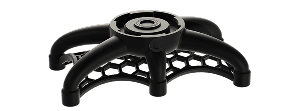

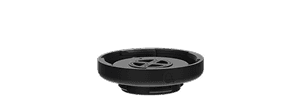


Active-with-Control Docks generate vacuum inside the Dock and include robot communication. Active Docks generate vacuum inside the Dock, while switching is handled externally. Passive Docks do not generate vacuum; they route vacuum from an external source into the Click system.
Docks are the starting point of a Click configuration. From the Dock, the layout can connect directly to a Pod or expand through Offsets, Hubs, and Reducers depending on the product, reach, and cup layout required. The vaQlock interface keeps the mechanical connection and vacuum path integrated between Click components.
